




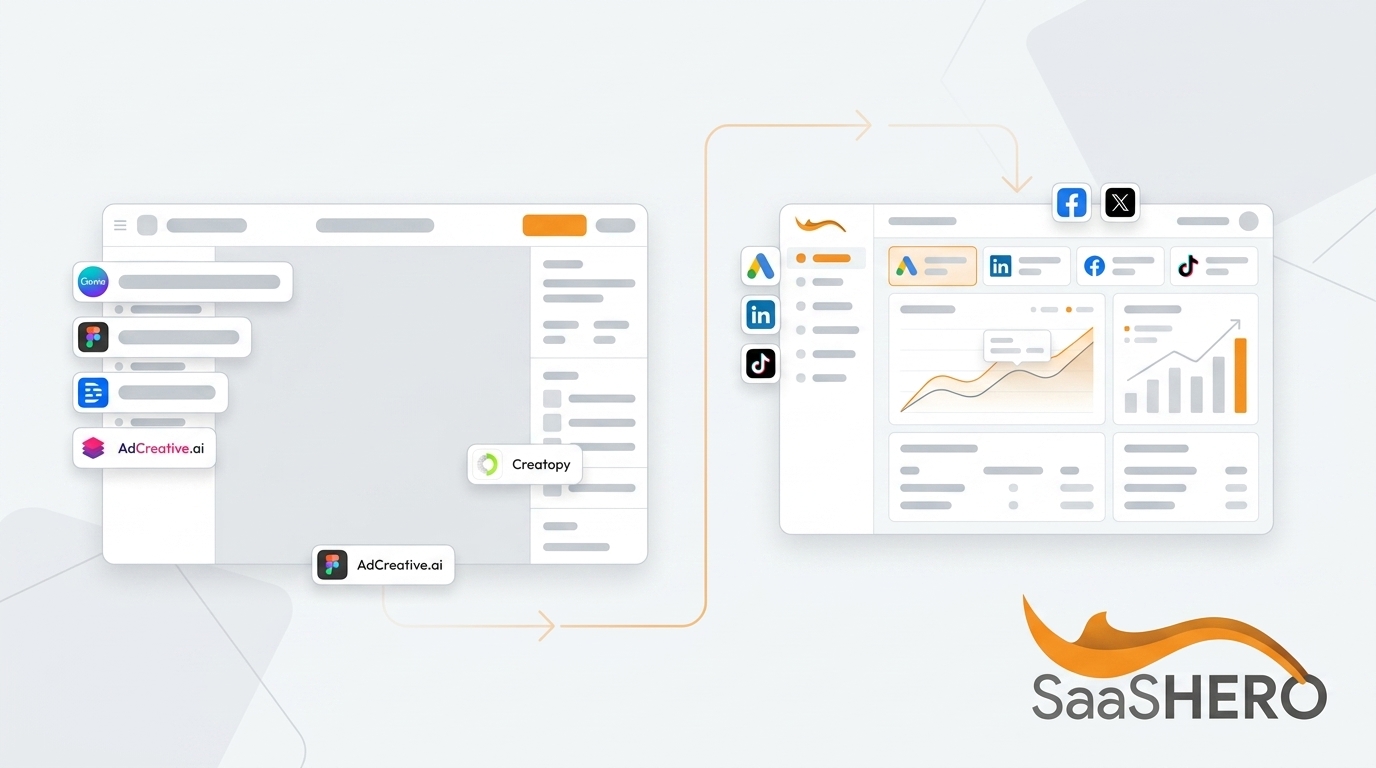
Written by: Aaron Rovner, Founder, Saas Hero | Last updated: September 4, 2026
Key Takeaways
- B2B ad design tools must match team skill level, ad volume, and primary channel rather than feature count.
- Canva and Adobe Express suit lean teams producing LinkedIn ads without dedicated designers.
- Creatopy and AdCreative.ai excel for high-volume production with AI-driven variation and predictive scoring.
- Figma is the best choice for design-led teams building reusable brand systems at scale.
- Still unsure which tool fits your team? Book a discovery call with SaaSHero for a direct recommendation.
Match Your B2B Ad Tool to Your Real Scenario
The best B2B ad design tool fits your team’s skill level, ad volume, and primary channel, not the tool with the most features or the highest G2 rating. A lean two-person marketing team producing LinkedIn single-image ads has very different needs than a design-led team running 50 or more creative variations per week across Google Display and Meta.
The table below compares seven tools across scenarios B2B teams actually face. Every pricing figure is cited to its source.
| Tool | Best For | Pricing (starting) | Key Features |
|---|---|---|---|
| Canva | Lean teams needing fast, template-based LinkedIn and social ads without a designer | Free, Pro $15/month, Business $20/user/month | Brand Kit, Magic Resize, 1.6M+ templates, Magic Studio AI, background remover |
| Adobe Express | Teams already in Adobe Creative Cloud needing branded ad variations quickly | Free, Premium $9.99/month, Teams $4.99/user/month (first year) | Firefly AI (250 generative credits/month on Premium), Brand Kits, Creative Cloud integration, content scheduler |
| Figma | In-house designers building reusable ad systems with brand consistency at scale | Collab seats from ~$5/user/month (see Brand Appart’s 2026 pricing overview) | Component-based design systems, real-time collaboration, Figma Buzz for template-driven bulk asset production |
| Creatopy (now The Brief) | Teams needing high-volume ad production with automated resizing and AI generation across 40+ ad networks | Free trial available, Enterprise via sales | AI Create Agent, bulk size/format generation, timeline animation, Figma/PSD import, direct ad network publishing |
| AdCreative.ai | Performance marketers needing AI-generated ad variants at volume with predictive scoring | ~$29/month, agency plans from $149/month | Creative Scoring AI (90%+ accuracy claim), Competitor Insights AI, bulk generation, video ad creation, trained on $35B+ in ad spend data |
| Visme | B2B teams producing data-heavy content (infographics, reports, presentations) alongside ad creative | Free (with watermark), paid plans from $12.25/month billed annually | AI Designer, Brand Wizard, 50+ content types, HubSpot/Salesforce integrations, social scheduler |
| Marq | Distributed teams needing brand-controlled template self-service to reduce creative backlog | Free tier available, Enterprise via demo | Lockable brand templates, smart fields, data automation (CSV/Google Sheets), approval workflows, 10,000+ templates |
LinkedIn Ad Design Tools for B2B Teams
LinkedIn’s professional context creates specific creative constraints that consumer-oriented tools often ignore. LinkedIn’s 2026 policy limits introductory text in Single Image Sponsored Content to 600 characters, penalizes generic stock photography with a “low originality” flag that reduces ad delivery, and requires every quantitative claim to be substantiated with documentation LinkedIn can request at any time. The platform rewards original photography, branded graphics, product screenshots, and data visualizations, not generic stock imagery from template libraries.
LinkedIn’s professional audience has grown to over one billion members, making it the highest-concentration B2B channel available to US advertisers. For most mid-market B2B teams launching their first paid LinkedIn program, single-image Sponsored Content is the recommended starting format. This format has the lowest production barrier, supports simple A/B testing, and produces clean CPL data quickly.
For LinkedIn-specific ad production, Canva and Adobe Express work best for teams without dedicated designers. Canva’s Brand Kit locks colors, fonts, and logos to keep output on brand, and a marketing coordinator can turn around a static ad variant in about 20 minutes. Adobe Express suits organizations already in Adobe Creative Cloud, pulling brand assets from Creative Cloud libraries and handling bulk resizing.
SaaSHero uses both tools internally as part of its in-house creative production process, but the tools alone do not determine performance. LinkedIn recommends shipping four to six creative variants per campaign and refreshing every 14–21 days to combat ad fatigue, which appears faster on LinkedIn than on Meta. Without a testing strategy behind the creative, even well-designed ads stall.
High-Volume B2B Ad Production Tools
Teams that need many variations quickly face a specific problem: creative fatigue erodes performance. Cross-source frequency research indicates conversion rates drop about 45% after four exposures to the same creative on Meta, and CTR drops about 50% after 5–8 views. High-volume production keeps algorithms fed and audiences engaged.
For this scenario, Creatopy (now The Brief) and AdCreative.ai are purpose-built choices.
The Brief’s platform claims 70% faster campaign launches and 40% lower costs per asset. Its AI Create Agent generates and adapts ads from a prompt across static, animated, and video formats. Bulk size and format generation means a single layout change propagates across hundreds of variants at once, which matters for teams running weekly creative refreshes.
AdCreative.ai uses a performance-prediction approach. Its Creative Scoring AI claims to predict ad performance and brand recall with over 90% accuracy, and its models train on patterns from $35 billion in ad spend data. AI ad tools can produce 10–200 ad variants per day, while a single designer can manually produce only 2–8 ads per day.
High-volume production is essential for testing, but volume without strategy produces noise. AdLibrary recommends running a competitor research pass before briefing any AI creative tool. Ads running 60 or more days without change almost always convert profitably, and that signal should seed creative briefs. The tool handles production, while the strategy determines what gets produced.
Design-Led B2B Teams and Figma
For teams with in-house designers, Figma is the clear recommendation. Its component-based design system propagates brand updates across every ad variant automatically. Its real-time collaboration supports teams where multiple stakeholders review creative before launch.
SaaSHero uses Figma as its primary design and client approval tool. Landing pages and creative are designed in Figma, and clients comment and approve directly on the file before anything is built.
Figma’s power comes from its flexibility, and that flexibility requires design skill to use effectively. Figma’s component properties and variants suit teams needing one master design with controlled variations. Its Figma Buzz feature (in open beta since Config 2025) lets designers build locked brand templates that marketers fill with copy and imagery, then bulk-produce assets from a spreadsheet without touching the design file.
Teams without that design depth experience more friction in Figma than it resolves. Canva or Adobe Express serve non-designers better. The decision depends on the skill level of the person who will use the tool every day.
Free vs Paid B2B Ad Design Plans
Free tiers exist across most tools in this category. Canva’s Free plan includes the full editor, 1.6M+ templates, 4.7M+ assets, one Brand Kit, 5GB storage, and a limited AI allowance of about 200 Standard or 20 Premium AI uses. Adobe Express Free includes 5GB storage, limited assets and AI, and one account per social network. Visme’s free plan includes unlimited projects but adds a watermark and limits export formats.
The limitations of free tiers follow a consistent pattern.
- Branding restrictions such as watermarks on exports (Visme) and limited Brand Kit slots (Canva Free allows one)
- AI usage caps such as Canva Free’s AI allowance of about 200 Standard uses, which high-volume teams hit quickly
- Export quality and format restrictions, since free tiers usually exclude video export, HTML5, and high-resolution formats needed for display advertising
- Collaboration limits, because team admin controls, template locking, and approval workflows sit behind paid plans across every tool in this comparison
For B2B teams running $15,000 or more per month in ad spend, the cost of a paid design tool is negligible relative to media budget. The more relevant question is whether the tool’s paid tier solves the actual bottleneck. For teams running under 15 ads per month, a freelance designer at $75/hour can cost less than a $300/month AI platform used at only 20% capacity. Match the investment to the volume.
Five-Step Framework for Choosing Your Tool
This five-step framework focuses your tool selection on variables that actually determine fit. Run through it before committing to any paid plan.
| Step | Action |
|---|---|
| 1. Assess your team’s design skill | Non-designers default to Canva or Adobe Express. In-house designers evaluate Figma. Teams with no design capacity at all should consider a partner rather than a tool. |
| 2. Determine your ad volume and primary channel | Under 15 ads/month: template tools (Canva, Adobe Express). 15–100 ads/month: AI production tools (Creatopy/The Brief, AdCreative.ai). Over 100 ads/month: full AI pipeline with human concept seeding. |
| 3. Set a realistic budget | Map tool cost against media spend. For $15k+/month ad spend, paid tiers ($15–$50/user/month) are justified. Free tiers work for validation only. |
| 4. Check integration with your existing stack | Confirm the tool exports to the formats your ad platforms require (LinkedIn image specs, Google Display HTML5, Meta feed dimensions). Verify CRM and DAM compatibility if brand governance matters. |
| 5. Run a pilot before committing | Every tool in this comparison offers a free tier or trial. Produce one week of real creative output before purchasing. Measure time-to-asset, not feature count. |
The tool is one variable in a larger system. WordStream’s 2025 search advertising benchmarks show that campaigns with top-quartile ad creatives achieve 32% lower cost per click and 28% higher conversion rates compared to lower-performing creatives. Creative quality comes from strategy, messaging, and testing discipline, not from the design software used to produce the asset. A well-briefed Canva template can outperform a poorly briefed Figma file every time.
If you want a second opinion on your current ad design process, book a discovery call with SaaSHero.
Why SaaSHero Outperforms Standalone Tools
Tools solve production problems. They do not solve strategy problems, messaging problems, or the structural gap between a form fill and a qualified pipeline opportunity. The most common failure mode SaaSHero encounters involves teams with no cohesive ownership of the creative-to-conversion chain.
SaaSHero’s in-house designers and copywriters handle the entire creative process, including concept, copy, and design. The team uses campaign data to develop new creative continuously and to find the messages that actually move buyers. Nothing is outsourced. New creative comes from what performs in the account, not from sporadic requests.
Landing pages are designed, built, hosted, and A/B tested by the same team running the campaigns. SaaSHero uses Figma for design approval and Unbounce for build and testing, which keeps feedback loops tight.

The measurement layer separates this approach from a tool purchase. SaaSHero optimizes against CRM outcomes such as qualified pipeline, lifecycle stage, and closed revenue, rather than form-fill counts. Every campaign connects to the client’s CRM so the ad platform learns from qualified outcomes, not from anyone who fills out a contact form.
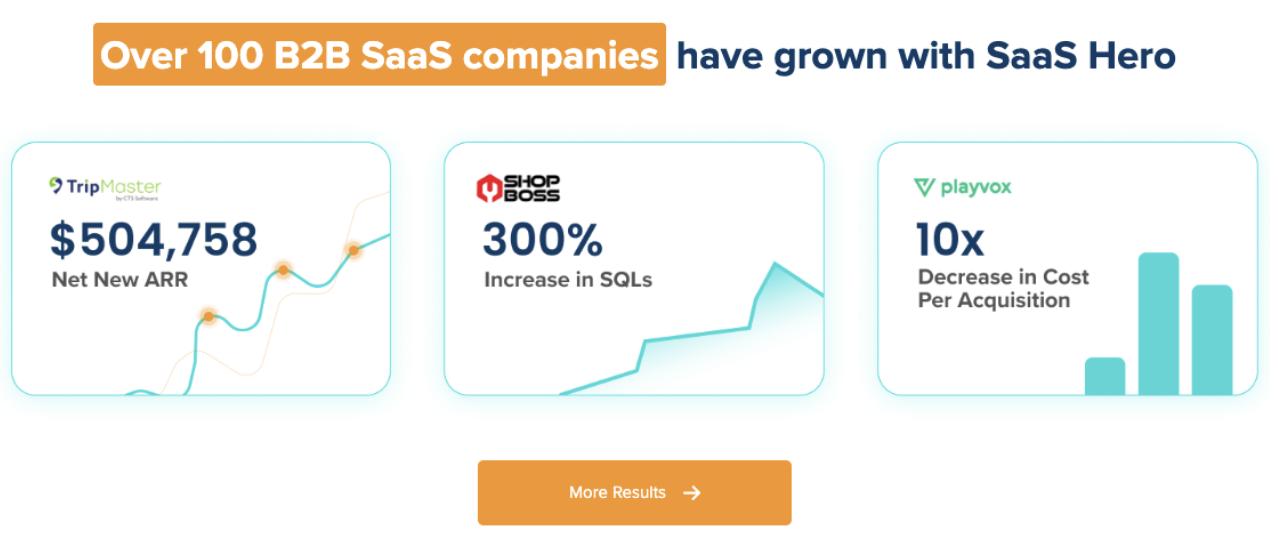
This approach drives results such as a 305% increase in conversion rate for Shop Boss and a 10x reduction in cost per lead alongside a 163% increase in lead volume for Playvox. With over $60 million in lifetime ad spend managed across 100+ B2B companies, SaaSHero brings pattern recognition that no individual tool can match.

The right tool forms part of the answer. The right team, owning the entire inbound acquisition engine, completes it.
Book a discovery call with SaaSHero to find out what is actually limiting your ad performance.
Frequently Asked Questions
What is the best platform for B2B advertising?
LinkedIn and Google Search serve as the two primary channels for most B2B advertisers, and the right mix depends on funnel stage. Google Search captures demand that already exists, from buyers who have named their problem and are actively searching for a solution. LinkedIn creates demand among buyers who have the problem but are not yet looking.
For most B2B SaaS companies with a defined ICP and a sales-led motion, the strongest configuration runs both channels. Google Search handles demand capture and LinkedIn handles demand creation, with the same team owning both so results can be read honestly. Meta works as a complementary channel for awareness and retargeting, especially for teams that have saturated high-intent search terms. The channel mix should follow the client’s motion and the evidence in the account.
Are free ad design tools good enough for B2B?
Free tiers work for validation and low-volume production, but they create friction for serious B2B campaigns. Watermarks on exports, single Brand Kit slots, capped AI usage, and missing team collaboration controls all slow teams down at scale.
For a team running $15,000 or more per month in ad spend, the cost of a paid design tool becomes a rounding error relative to media budget. The more important question is whether the tool’s paid features solve the actual bottleneck. If the constraint is design skill rather than production volume, no tier of any tool resolves it.
Can AI ad generators replace human designers?
AI ad generators accelerate production and reduce cost per variant significantly, but they do not replace strategic judgment. Human teams still identify winning angles, enforce unstated brand rules, and create conceptual originality that differentiates a brand in a crowded category.
The highest-performing teams in 2026 use AI as a production layer on top of manually developed strategic concepts. Human designers set the brief and seed the direction, and AI tools generate the volume. AI tools raise the floor on creative quality and make it harder to produce something terrible, while making it easy to produce something forgettable. Humans still build the system underneath, including design tokens, template architecture, usage guidelines, and defined voice.
What are the best tools for creating LinkedIn ads?
For teams without dedicated designers, Canva and Adobe Express are the strongest choices. Canva’s Brand Kit locks colors, fonts, and logos, and its Magic Resize handles format adaptation across LinkedIn’s image specifications. Adobe Express suits teams already in Adobe Creative Cloud, with Firefly AI generating on-brand imagery and Creative Cloud Libraries pulling existing brand assets automatically.
For design-led teams, Figma supports custom ad creatives and brand consistency through design systems. Its Figma Buzz feature enables bulk asset production from locked templates. Regardless of tool, LinkedIn’s 2026 policy favors original photography and branded graphics over stock imagery and requires every quantitative claim to be substantiated. These factors shape creative strategy more than tool selection.
How do I choose between Canva and Figma?
The decision comes down to team skill and collaboration model. Canva serves non-designers through a template-first approach, a drag-and-drop editor, and AI-assisted features such as Magic Design, Magic Resize, and Magic Write. A marketing coordinator can produce on-brand ad creative without design training.
Figma serves designers through a component-based system, design tokens, and variant management. Experienced designers gain the control they need to build reusable ad systems that maintain brand consistency at scale. If your team has no in-house designer, Canva is the correct starting point. If your team has a designer who needs to collaborate with stakeholders on creative review and approval, Figma’s real-time collaboration and comment-on-file workflow fit better.
Many teams use both tools. Figma governs the design system and hero creative, while Canva supports day-to-day ad production by non-designers.
Conclusion and Next Steps for Your B2B Ad Stack
The right B2B ad design tool matches your team’s skill level, ad volume, primary channel, and budget. Canva and Adobe Express serve lean teams producing LinkedIn and social ads without a designer. Creatopy and AdCreative.ai serve teams that need high-volume production and AI-driven variation. Figma serves design-led teams building reusable systems. Visme and Marq serve specific use cases around data-heavy content and distributed brand governance.
The tool forms one part of the equation. Strategy, messaging cadence, landing page experience, and measurement architecture determine whether creative actually drives pipeline. Teams that invest in the right tool but leave the post-click experience untested, or optimize campaigns against form fills rather than CRM outcomes, see similar results regardless of design software.
If your current ad design process creates a bottleneck, the root cause usually sits in structure. Symptoms include creative arriving late, no testing cadence, LinkedIn campaigns that “didn’t work,” or a reporting stack that cannot show which spend produced pipeline. SaaSHero owns the entire inbound acquisition engine as one team on one accountability line, covering paid media, creative, landing pages, attribution, and strategy, and optimizing against CRM revenue data rather than form-fill counts.