




Written by: Aaron Rovner, Founder, Saas Hero | Last updated: September 3, 2026
Key Takeaways
- A 5-day onboarding sprint moves a new B2B SaaS client from signed contract to a live, tracking-ready Google Ads account.
- The process focuses on automated intake, secure access, and CRM-aligned conversion tracking so campaigns launch on reliable data.
- Fast launch and accurate tracking compound revenue for B2B SaaS because the algorithm learns from real buyer behavior sooner.
- The onboarding framework rests on three pillars: Automation, Security, and Data Quality that all point Google Ads toward revenue.
- Agencies that standardize this sprint reduce onboarding delays and build client confidence before the first results report.
The Executive Summary: Why Speed Is a Revenue Multiplier
A fast, organized onboarding is the first proof of your agency’s competence. It sets the tone for the entire client relationship before a single ad goes live. A 5-day sprint, instead of a 3-to-4-week slog, gets the account into Google’s learning phase faster. It builds client confidence immediately and reduces the risk of buyer’s remorse before results have had time to materialize.
For B2B SaaS specifically, speed compounds. Every week of delayed launch is a week the algorithm is not learning from real buyer behavior. Every day without CRM-connected conversion tracking is a day the account trains itself on the wrong signal. The sprint rests on three pillars: Automation that removes manual back-and-forth, Security that relies on access controls instead of passwords, and Data Quality that aligns bidding with revenue events instead of raw form fills.
Agencies that adopt this 5-day framework create a repeatable onboarding experience. They shorten time to value for clients and give Google Ads the data it needs to find real buyers earlier in the engagement.
Day 1: Automated Intake and Secure Access
The Goal: Collect all strategic information and gain account access without a single manual email.
The intake form sets the ceiling on everything downstream. Keyword research, audience construction, landing page copy, and conversion architecture all depend on it. Tools like ClickUp or GoHighLevel send a comprehensive, automated intake form the moment a contract is signed. This automation removes the first and most common source of delay: the back-and-forth email chain.
For B2B SaaS clients, the intake form must go deeper than a generic agency questionnaire. The critical questions include:
- Who is the Ideal Customer Profile (ICP), including company size, industry, and seniority of the buyer?
- What is the average sales cycle length?
- Which CRM is in use, such as Salesforce or HubSpot?
- What is the internal definition of a Sales Qualified Lead (SQL)?
- What is the primary business goal, with a focus on pipeline generation over lead volume?
- What is the monthly ad budget?
The budget question deserves special attention. A common practitioner question is whether $20 a day is sufficient for Google Ads. For B2B SaaS, the answer is no. At $20 per day, a $600 monthly budget generates statistically insignificant data in B2B SaaS Google Ads. Non-brand search clicks average about $13.75, and enterprise segments can reach $12+ per click. The budget yields too few clicks for meaningful analysis. For growth-stage B2B SaaS (Series B onward), a realistic monthly test budget for Google Ads is a higher range, as detailed in the FAQ and recommended by GrowthSpree in 2026.
Access setup runs in parallel with intake. The core rule is simple: never ask for passwords. A Google Ads manager account (MCC) lets agencies view and manage multiple client accounts from a single location using a single sign-in, with access controlled at the account level rather than by sharing credentials. The process is straightforward. The agency enters the client’s Customer ID in the MCC’s Sub-account settings, sends a link request, and the client approves it via email.
Google recommends using standard account access and permissions rather than sharing login credentials, because access can be granted, modified, or revoked by account administrators. Tools like AgencyAccess can streamline the credentialing workflow further. The target outcome is clear: all access to Google Ads, GA4, GTM, and ideally read-only CRM access is granted within 24–48 hours of contract signature.
Day 2: The 30-Minute Kickoff and Asset Collection
The Goal: Align on goals, establish communication, and gather the final creative assets.
The kickoff call functions as an alignment checkpoint, not a full strategy workshop. Allowing it to expand into a two-hour working session is one of the most common ways agencies lose time and erode client confidence before the work has started. A tight 30-minute agenda keeps the relationship professional and signals operational competence:
- Introductions (1 minute)
- Confirm business goals and KPIs (5 minutes)
- Review conversion actions and CRM definitions (10 minutes)
- Discuss offer and messaging (5 minutes)
- Establish communication cadence and approval process (4 minutes)
- Q&A (5 minutes)
The conversion action and CRM definition block is where B2B SaaS onboarding diverges most sharply from generic agency practice. Ten minutes spent confirming what the client’s CRM counts as an SQL, and what it excludes, prevents months of optimizing toward the wrong signal.
Asset collection runs in parallel with this alignment. The agency needs final logos, brand guidelines, CRM access credentials for integration, a list of competitor URLs, and a seed list of negative keywords specific to the SaaS niche. That list often includes job-seeker terms, student terms, and competitor brand names the client prefers to avoid.
Day 3: Tracking Setup and CRM Integration for B2B SaaS
The Goal: Configure the entire measurement layer to track what matters, with revenue as the guiding metric.
This day separates a B2B SaaS onboarding from every generic agency checklist. Google Ads behaves like a self-fulfilling prophecy. The algorithm finds more of whatever it is rewarded for. When it targets a raw form fill, it finds the people most likely to fill out forms, such as students, job seekers, competitors, and existing customers, while reporting a falling cost per conversion. The CRM reveals the damage only after the budget is spent.
The tracking setup has three components.
Conversion Actions: Verify existing conversion actions in Google Ads and GA4. For B2B SaaS, establish a clear primary and secondary hierarchy. Primary conversions, used for account-wide Smart Bidding optimization, should be high-intent actions like “Request a Demo” or “Book a Call.” Secondary conversions, such as newsletter signups, content downloads, and webinar registrations, are tracked for visibility but excluded from bidding signals. This architecture forms the foundation of revenue-based optimization.
CRM Integration: This component creates the main difference from standard onboarding. Integrating with Salesforce or HubSpot imports offline conversions. This setup lets the Google Ads algorithm optimize for SQLs or Closed Won deals instead of form submissions. When a lead progresses to an opportunity in the CRM, that lifecycle stage event is pushed back into the ad platform as the optimization signal. The account learns to find buyers instead of form-fillers.
Call Tracking: Integrating a solution like CallRail captures and attributes phone call leads. These calls are frequently high-intent in B2B and otherwise invisible to the ad platform’s optimization layer.
Day 4: Campaign Build and Structure
The Goal: Build the campaign architecture based on the data collected in Days 1–3.
The build decision, template versus custom, depends on account complexity. A proven template delivers speed and consistency for a single-product SaaS company with a clear ICP. A custom build fits multi-product accounts or companies selling to multiple segments with distinct value propositions and price points. A hybrid approach often works best. Use a template for core branded and high-intent non-branded search campaigns, then add custom campaigns for competitive and expansion terms.
A standard B2B SaaS account structure at launch includes four campaign types:
- Branded: Captures existing demand from buyers already aware of the product and protects against competitor conquesting on brand terms.
- Non-Branded (High Intent): Targets category and solution-aware queries from buyers actively evaluating options and often becomes the highest-leverage campaign for demand capture.
- Competitor: Targets buyers searching for named competitors and requires careful messaging and landing page alignment.
- Pilot/Performance Max: Functions as a contained test campaign until the account has sufficient conversion data to guide PMax automation.
Ad copy and landing pages must match the search intent of each campaign. A non-branded campaign that points to a homepage creates a structural failure. Each ad group needs a purpose-built landing page with a headline that speaks to the specific problem the searcher has named, rather than a generic category claim.
Day 5: The Pre-Launch Checklist and Common Pitfalls
The Goal: Confirm every critical element before the campaign goes live.
A pre-launch checklist acts as the quality gate that prevents the most expensive mistakes in paid media. These mistakes include launching with broken tracking, wrong geo-targeting, or unapproved ads. Run through each item before hitting publish:
- All ads are approved and carry no policy flags.
- Geo-targeting is confirmed and excludes any unwanted locations.
- All landing pages are live, load in under three seconds, and have a working form and thank-you page.
- Conversion actions are firing correctly. Verify with Google Tag Assistant before launch.
- Negative keyword lists are in place at both the campaign and account level.
- CRM integration is confirmed and test conversions are flowing correctly.
- The primary and secondary conversion hierarchy is set and only primary conversions are used for Smart Bidding.
Beyond the checklist, watch for recurring pitfalls that practitioners report in communities like r/PPC:
- Asking for passwords: As covered on Day 1, avoid password requests. Use an MCC to request access via the client’s Customer ID. Google’s security guidance recommends granting access through standard permissions rather than sharing credentials, because administrators can revoke access without changing account passwords.
- Launching without CRM integration: Accounts that launch without CRM data default to form fills as the optimization target. The algorithm then learns from the wrong audience for the entire learning phase.
- Access delays: Clients who delay granting MCC access are the most common cause of onboarding overruns. Solve this on Day 1 with an automated access request sent alongside the intake form, as described earlier.
- Letting the kickoff expand: A 30-minute agenda signals professionalism. A two-hour kickoff call signals a scope problem that starts before the first campaign is built.
- Inheriting broken tracking: Avoid launching on inherited conversion tracking. Rebuild it during onboarding. An account launched on bad data produces numbers nobody can defend three months later.
Agencies that run this process manually across multiple clients face a heavy operational load. Talk with SaaSHero about systematizing this sprint for B2B SaaS accounts at scale.
About SaaSHero: B2B SaaS Onboarding and Growth Partner
SaaSHero serves as the outsourced inbound growth team for B2B companies. One team owns strategy and execution across paid media, creative, landing pages, and reporting. The team aligns all of this work with CRM revenue data rather than form-fill counts. Founded in 2018, the firm has served more than 100 B2B companies and has managed over $60 million in lifetime ad spend, exclusively in the B2B SaaS category.
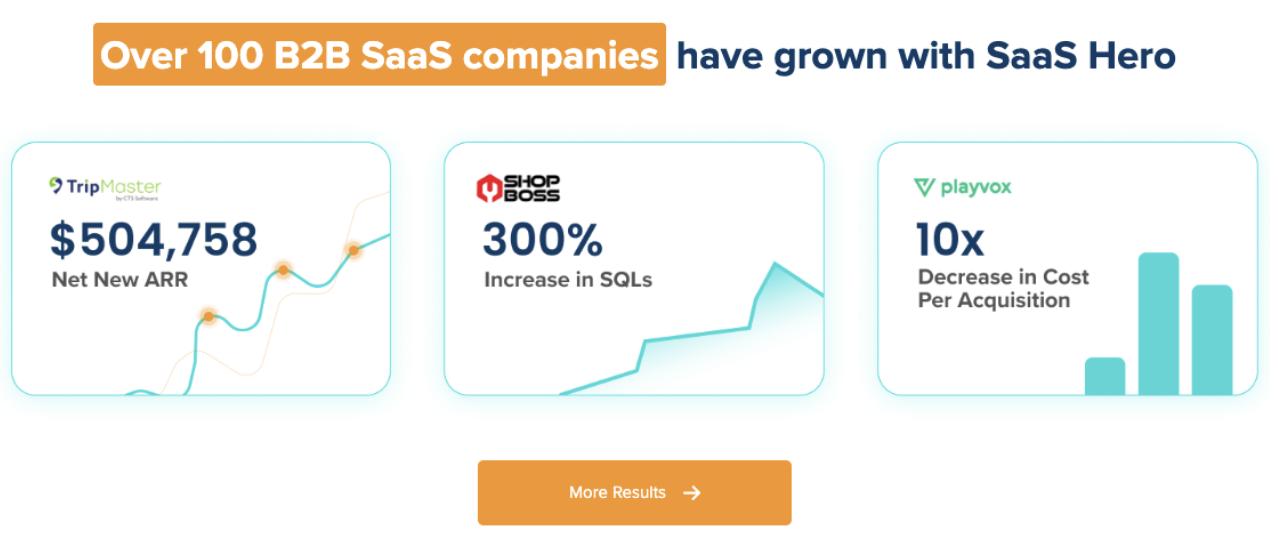
SaaSHero holds Google Premier Partner status, a designation held by the top 3% of agencies, and has been a G2 High Performer in digital marketing for over two years, currently ranked #20 out of approximately 6,000 agencies. The 5-day sprint described in this guide reflects the operational sequence the firm runs on every new B2B SaaS engagement.

For more detail on the checklist elements that underpin this sprint, see our 7-step onboarding checklist. For a deeper look at what to expect after launch, see our B2B SaaS Google Ads ramp-up timeline guide. Discuss a potential white-label partnership with the SaaSHero team if you want an outsourced growth partner.
Frequently Asked Questions
What is the biggest difference between onboarding a B2B SaaS client and a standard Google Ads client?
The measurement layer creates the biggest difference. A standard Google Ads onboarding can treat a form fill as the primary conversion event and still produce defensible results. In B2B SaaS, a form fill is the least informed proxy for revenue available. The sales cycle runs for months, the buying committee involves multiple stakeholders, and the CRM is the only system that knows whether a lead became a qualified opportunity or a closed deal. Onboarding a B2B SaaS client correctly means integrating with Salesforce or HubSpot from day one, establishing a primary and secondary conversion hierarchy, and pushing lifecycle stage events back into the ad platform so the algorithm optimizes toward SQLs and pipeline. Every other element of the onboarding, including campaign structure, landing pages, and ad copy, sits downstream of this setup.
How do you handle clients who delay granting Google Ads access?
Access delays are the most common cause of onboarding overruns, and process fixes them more reliably than persistence. The solution is to send the MCC access request and the intake form simultaneously on Day 1, before the kickoff call, using an automated workflow. When access is requested before the kickoff rather than after it, the client has a concrete task to complete instead of a vague commitment to make. Using a Google Ads Manager Account (MCC) removes the password-sharing friction entirely. The client receives an email invitation to approve the link, which takes under two minutes. Tracking the access request status on a shared sheet, visible to both the agency and the client, creates accountability without a follow-up email chain.
Is $20 a day a realistic Google Ads budget for a B2B SaaS company?
$20 per day, or $600 per month, does not provide enough data for B2B SaaS. At that level, a company cannot gather statistically significant conversion volume. In competitive B2B SaaS categories, individual clicks on Google Search for non-branded, high-competition keywords frequently cost $15–$50, with some highly competitive terms reaching $80–$110. At a $15 cost per click, a $600 monthly budget yields only 40 clicks. Even at a lower CPC of $2.00, the resulting 300 clicks are still insufficient for Smart Bidding to exit the learning phase or for meaningful optimization to occur. For growth-stage B2B SaaS (Series B–C), a realistic Google Ads test budget starts at $5,000–$15,000 per month, with a practical minimum of $2,000–$5,000 for earlier-stage companies, to generate enough conversion volume for optimization. Below that threshold, the account behaves like an expensive experiment with limited statistical power.
What tools are essential for a fast Google Ads agency onboarding?
The essential tools fall into four categories. For intake automation, ClickUp or GoHighLevel allow agencies to trigger a comprehensive intake form automatically at contract signature, which removes manual email coordination. For secure access, a Google Ads Manager Account (MCC) handles multi-client access without password sharing, and AgencyAccess can streamline the credentialing workflow further. For tracking, Google Tag Manager acts as the implementation layer, Google Tag Assistant validates that conversion actions are firing correctly before launch, and CallRail captures and attributes phone call leads. For CRM integration, native connectors in HubSpot and Salesforce handle offline conversion imports, allowing lifecycle stage events to flow back into the ad platform as optimization signals. For reporting, Looker Studio connects ad platform data to CRM outcomes in a single dashboard and removes the need for monthly spreadsheet reconciliation.

How long should a Google Ads agency onboarding realistically take for a B2B SaaS client?
A systematized Google Ads agency onboarding process typically takes one to two weeks before campaigns go live, with the full onboarding cycle running about 30 days. Day 1 covers automated intake and MCC access requests. Day 2 covers the kickoff call and asset collection. Day 3 covers tracking setup and CRM integration, which is the most technically intensive day. Day 4 covers campaign build and structure. Day 5 covers the pre-launch checklist and quality gate. The most common causes of overruns are access delays, incomplete intake forms, and inherited tracking that requires rebuilding. Requesting MCC access on Day 1, using automated reminders for intake completion, and treating tracking reconstruction as a non-negotiable Day 3 task reduce these risks. Agencies that run this process ad hoc often take longer and face additional delays from fixing avoidable mistakes.